

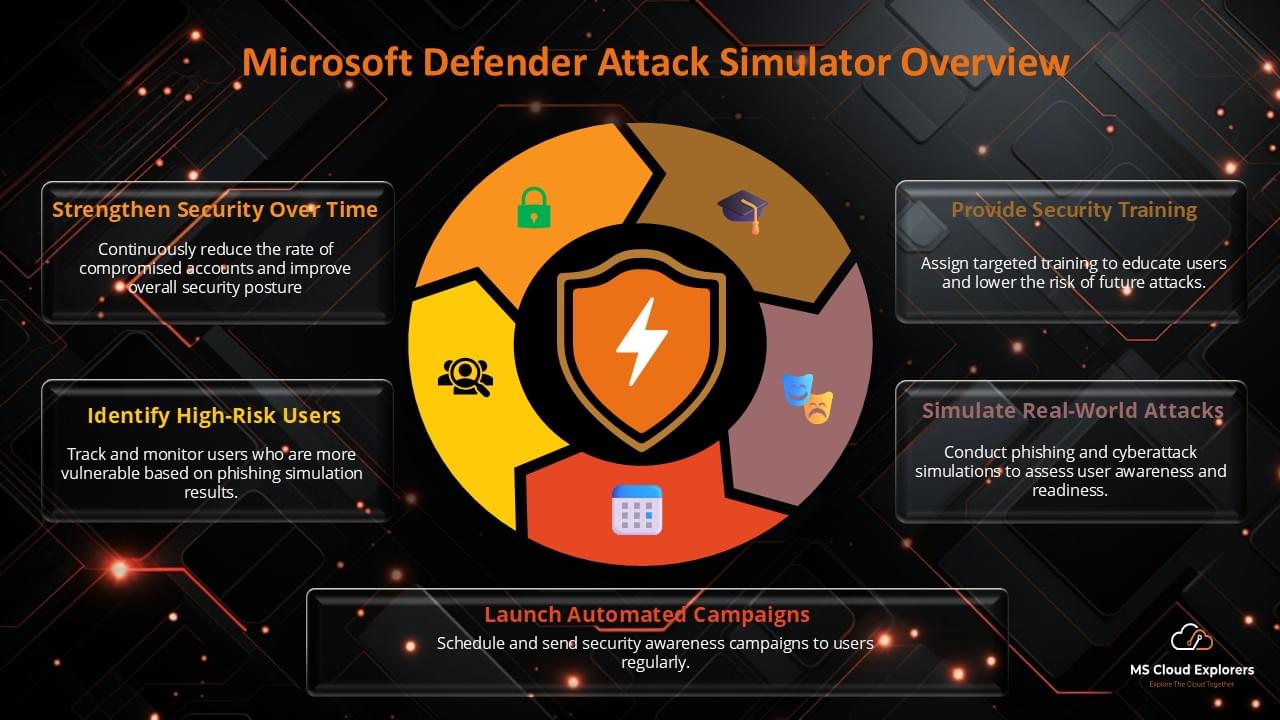
Phishing attacks remain one of the most effective and dangerous methods cybercriminals use to breach organizational security. As companies continue to rely on Microsoft 365 for day-to-day operations, they must prioritize securing their accounts against phishing threats. A proactive way to safeguard your organization is by using a Microsoft Phishing Simulator. This tool helps simulate real-world phishing attacks, allowing you to train your employees, identify vulnerabilities, and strengthen your overall security posture. In this article, we will explore the importance of phishing simulations, how they work, and why they are essential for safeguarding your Microsoft 365 environment.
What is a Microsoft Phishing Simulator?
A Microsoft Phishing Simulator is a security tool designed to simulate phishing attacks within the Microsoft 365 environment. It mimics common phishing tactics used by attackers to trick users into revealing sensitive information such as login credentials, financial data, or personal information. By conducting these simulated attacks, businesses can assess how their users respond to phishing attempts and provide targeted training to improve their security awareness.
Key Features of Microsoft Phishing Simulators
- Customizable Phishing Scenarios: Simulate different phishing attacks, such as spear phishing, link-based phishing, and credential phishing, to test users’ responses.
- User Performance Tracking: Monitor how each employee handles simulated phishing emails, enabling you to identify vulnerable individuals and groups.
- Real-Time Reporting: Receive detailed reports on the outcomes of each phishing simulation, including who clicked on phishing links, who submitted sensitive information, and who reported the attack.
- Integrated Security Awareness Training: Many simulators come with built-in training programs that provide immediate feedback and educational resources to users who fall for the phishing attempts.
Why Use a Microsoft Phishing Simulator?
1. Raising Employee Awareness
The majority of security breaches occur because of human error. By using a Microsoft phishing simulator, businesses can expose their employees to phishing attacks in a controlled environment, giving them the experience and knowledge to recognize phishing emails in real life.
Benefits:
- Hands-on Experience: Employees get practical, real-world exposure to phishing tactics, which helps them better recognize threats in their inbox.
- Continuous Learning: As phishing tactics evolve, you can use simulations to keep employees updated on the latest attack methods.
2. Improving Security Posture
Phishing simulations provide valuable insights into an organization’s security weaknesses. By identifying which employees are most vulnerable to phishing attacks, organizations can implement targeted security training to address specific gaps in knowledge or behavior.
Benefits:
- Increased Reporting: Employees who are trained to recognize phishing attacks are more likely to report suspicious emails to IT teams.
- Stronger Defenses: By continually simulating attacks, organizations can ensure that their security measures are up-to-date and resilient to evolving phishing tactics.
3. Cost-Effective Training
Investing in a Microsoft phishing simulator allows organizations to conduct simulated phishing attacks on a large scale without the need for external consultants or complex training programs. This makes phishing simulations an affordable and scalable option for improving organizational security.
Benefits:
- Scalable: Run simulations for small teams or your entire organization.
- Affordable: Avoid the high costs of traditional training methods while achieving better results.
Step-by-Step Guide: How to Create and Assign Phishing Simulation Training in Microsoft 365
Creating and assigning phishing simulation training in Microsoft 365 is crucial for improving your team’s security awareness. Here’s a simple and quick guide to get you started:
1. Access Microsoft 365 Defender Portal
Log in to the Microsoft 365 Admin Center, and open the Microsoft 365 Defender portal.
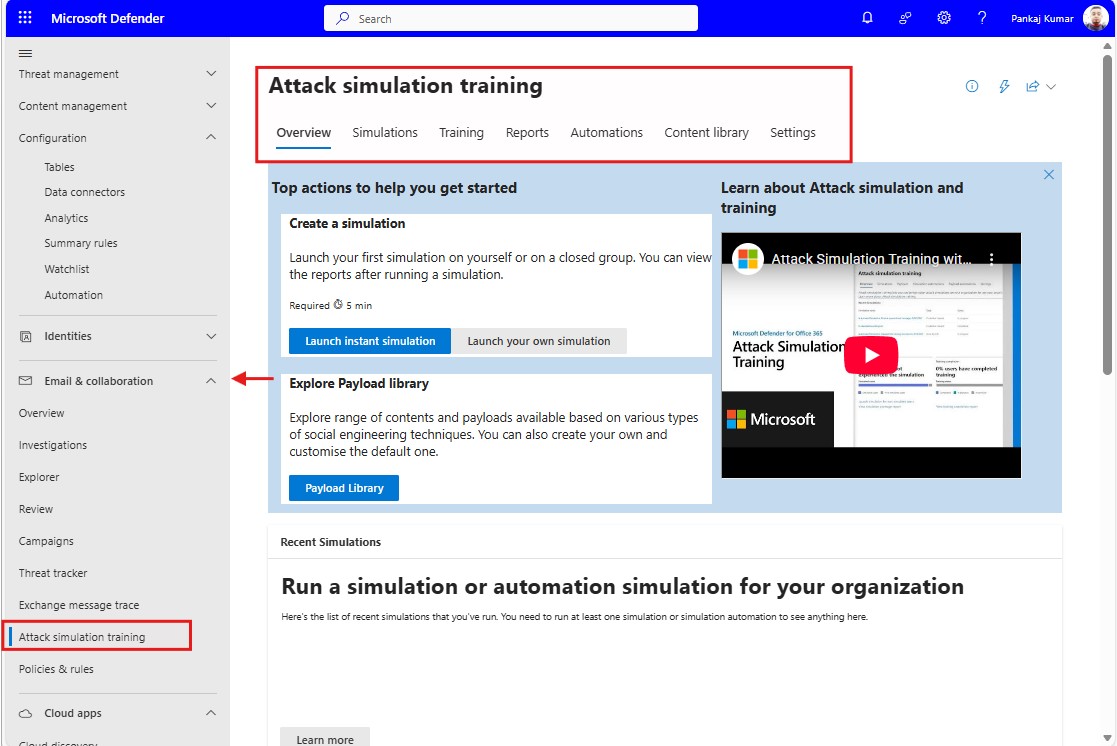
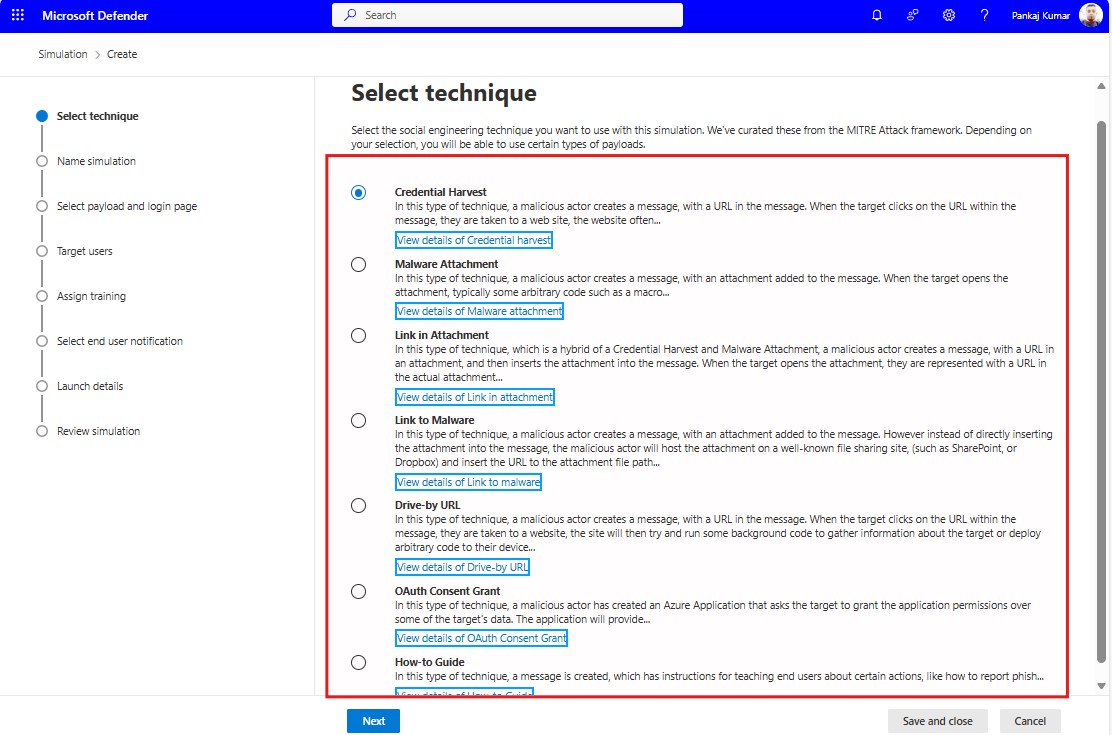
2. Create a Phishing Simulation
Navigate to Attack simulation training > Create simulation. Choose from available phishing scenarios or customize your own.
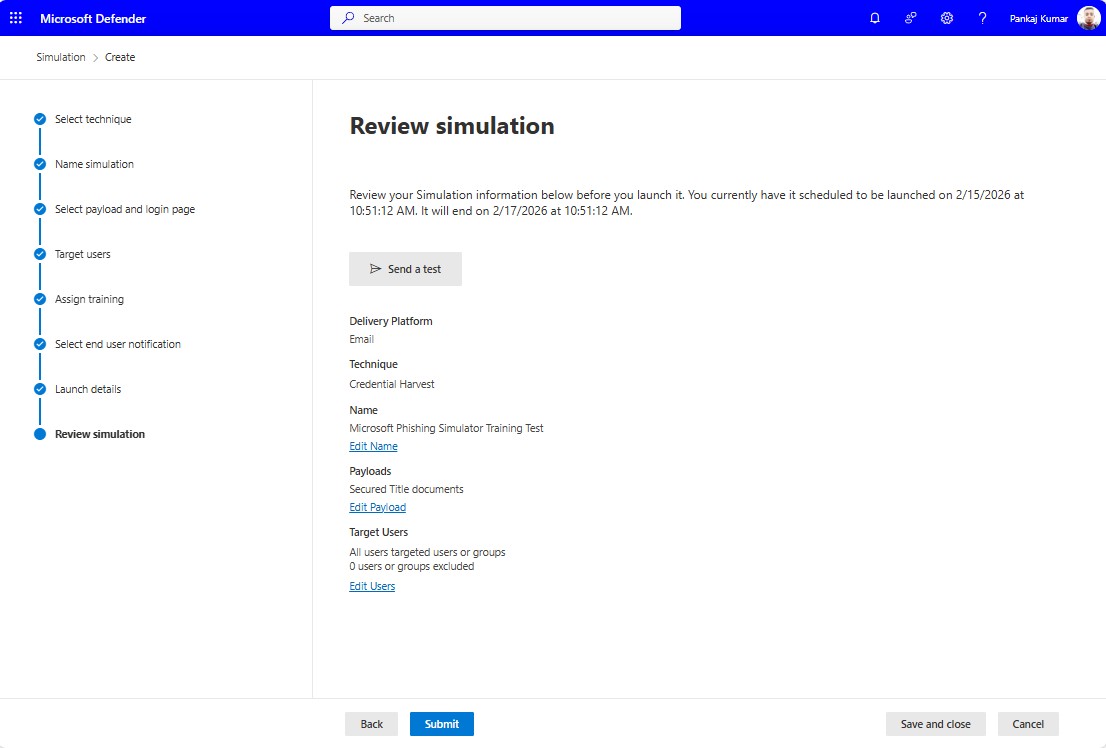
3. Run the Simulation
Launch the simulation by selecting your target users, then monitor the responses to identify vulnerabilities.
4. Set Up Security Awareness Training
For users who fall for the simulation, create a training campaign. Choose training modules and schedule them for completion.
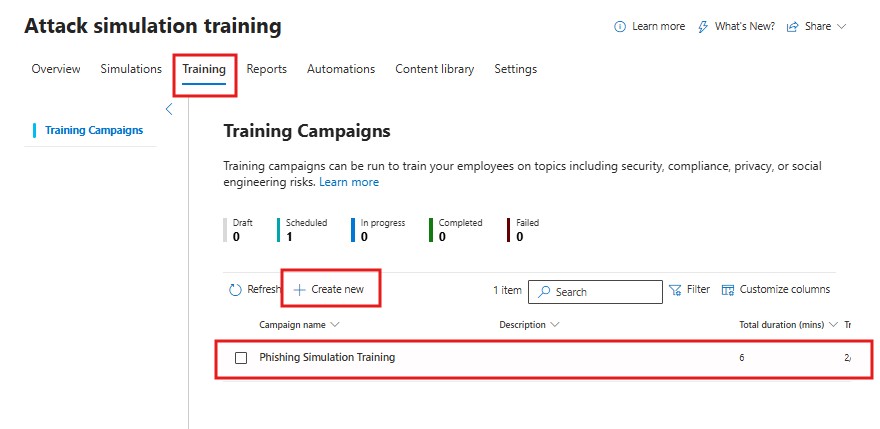
5. Assign Training to Users
Select users who need training based on simulation results, and assign the training. Notifications will be sent to them for completion.
6. Monitor Progress
Track the progress of training completion and performance to ensure users are improving their awareness.
Regularly running these simulations and assigning corresponding training helps create a more secure and aware workforce, reducing the risk of phishing attacks.
If you are looking for a brief, step-by-step guide on how to create and manage Microsoft phishing simulation training, please refer to this guide.
Best Practices for Using a Microsoft Phishing Simulator
1.Simulate Regular Attacks
Phishing tactics are constantly evolving, and cybercriminals often change their methods. It’s important to regularly run phishing simulations to expose employees to new threats and reinforce their learning.
Why It’s Important:
- Keeps Employees Alert: Regular simulations ensure that employees stay vigilant and continue to recognize phishing attempts.
- Adapt to New Tactics: As phishing attacks become more sophisticated, running diverse simulations will ensure that employees can handle a variety of phishing scenarios.
2. Create a Safe Learning Environment
Simulated phishing attacks can be an eye-opening experience for employees, especially those who may not be aware of how often phishing occurs. It’s important to create a supportive, non-punitive environment where employees feel comfortable learning from their mistakes.
Why It’s Important:
- Encourages Participation: A non-threatening environment ensures that employees engage fully with the training and simulations.
- Builds Confidence: By providing immediate feedback and education, employees feel empowered to report suspicious emails confidently.
3. Combine with Broader Security Awareness Training
While phishing simulations are a critical tool for improving employee awareness, they should be part of a broader security awareness program. Complement phishing simulations with training on other security topics such as password management, data protection, and secure browsing practices.
Why It’s Important:
- Holistic Security Culture: By covering multiple areas of cybersecurity, you help create a culture of security awareness across the organization.
- More Effective Training: A well-rounded approach to security training ensures that employees are fully prepared to handle a variety of threats, not just phishing.
Conclusion
A Microsoft phishing simulator is a powerful tool for enhancing your organization’s cybersecurity posture. By simulating real-world phishing attacks, you can assess your team’s response to potential threats, identify vulnerabilities, and provide immediate training to help employees recognize and avoid phishing attempts. Regular phishing simulations, combined with broader security awareness training, will create a strong defense against phishing and improve your overall cybersecurity practices.
FAQs
- What is a Microsoft Phishing Simulator?
It’s a tool that simulates phishing attacks within the Microsoft 365 environment to help train employees and improve organizational security. - Why should I use a phishing simulator for Microsoft 365?
It helps raise awareness, test employee responses to phishing attempts, and improve your organization’s security posture. - How often should phishing simulations be run?
Regularly running simulations—at least quarterly—ensures that employees stay vigilant and aware of evolving phishing tactics. - Can Microsoft phishing simulations be customized?
Yes, phishing simulations can be customized to mimic different types of attacks and focus on specific training goals. - Do phishing simulations affect employee morale?
When done correctly and in a supportive environment, phishing simulations are a learning tool that boosts security awareness without negatively affecting morale.
Explore More from MS Cloud Explorers
- Microsoft 365 Applications Explained: A Complete Guide for IT Admins
- Step-by-Step Guide to Create and Manage Microsoft 365 Accounts and Groups
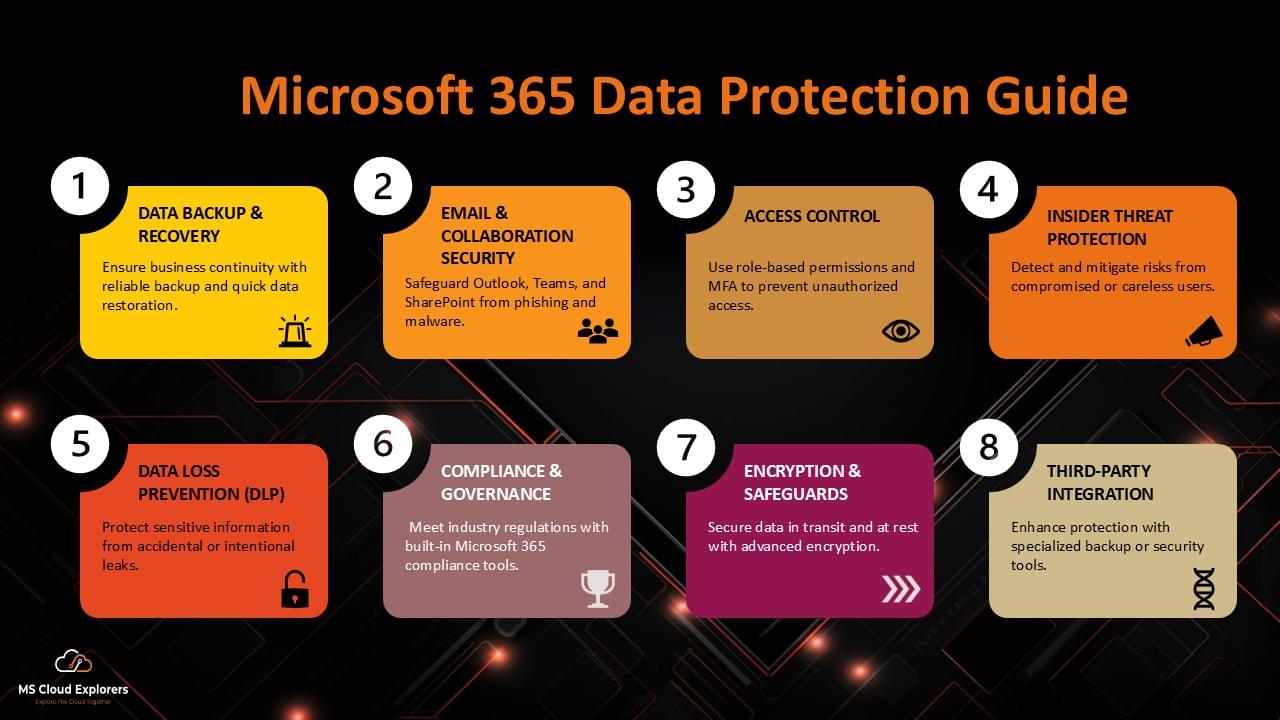
- Microsoft 365 Data Protection: The Ultimate Guide to Secure Your Cloud Data
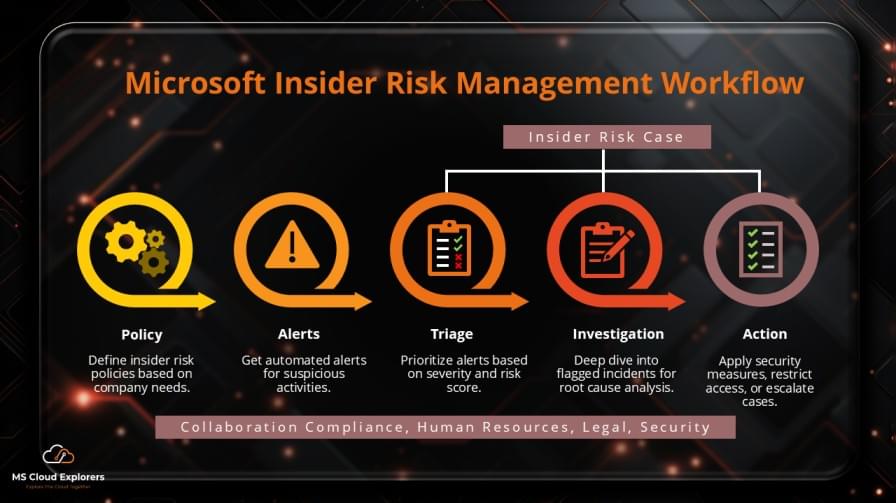
- Microsoft Insider Risk Management: A Complete Guide to Prevent Insider Threats
Enjoyed the article?
We’d love to hear your thoughts—share your comments below!
For more insights, guides, and updates from the Microsoft ecosystem, be sure to subscribe to our newsletter and follow us on LinkedIn. Stay connected and never miss out on the latest tips and news!
1 comment on “How to Create and Assign Microsoft Phishing Simulator Training in Microsoft 365”