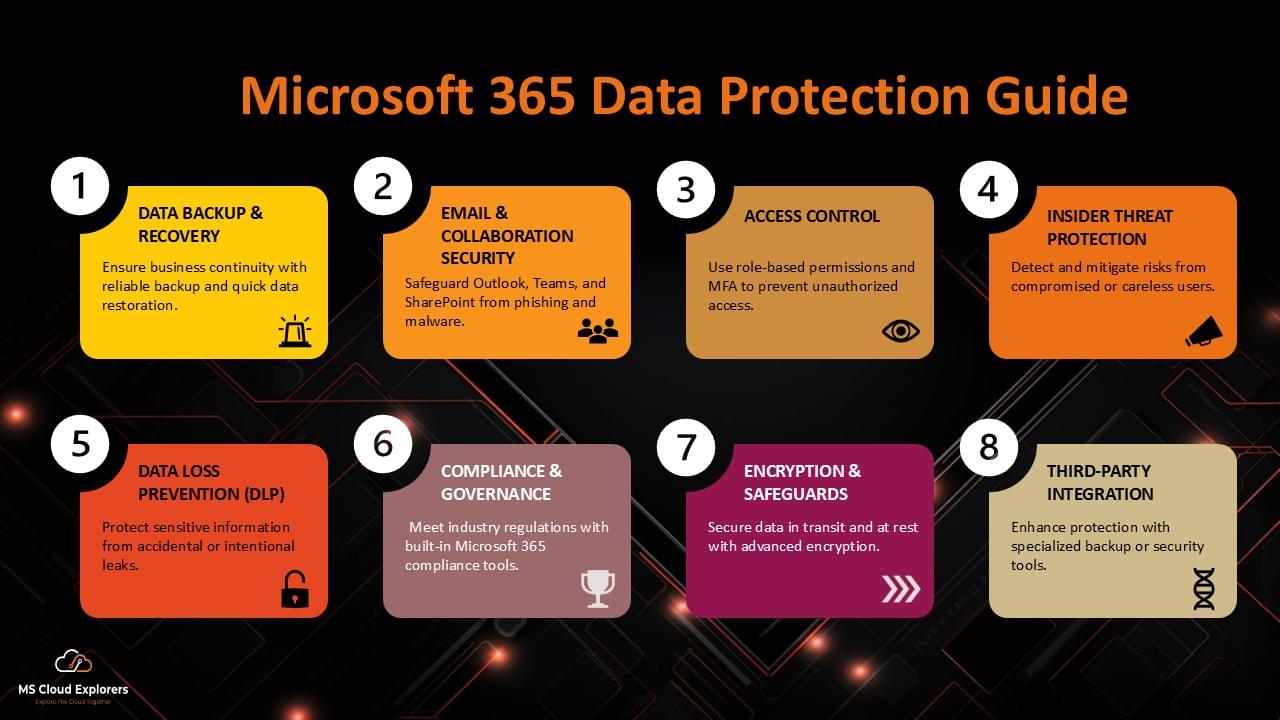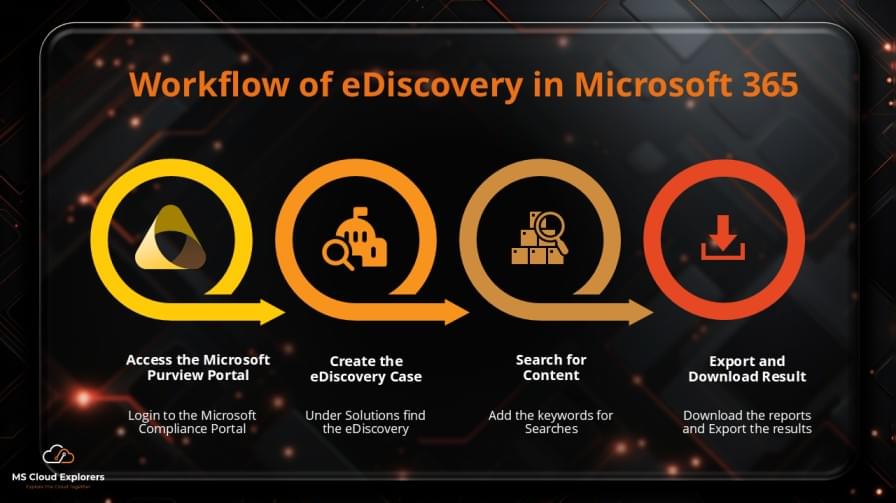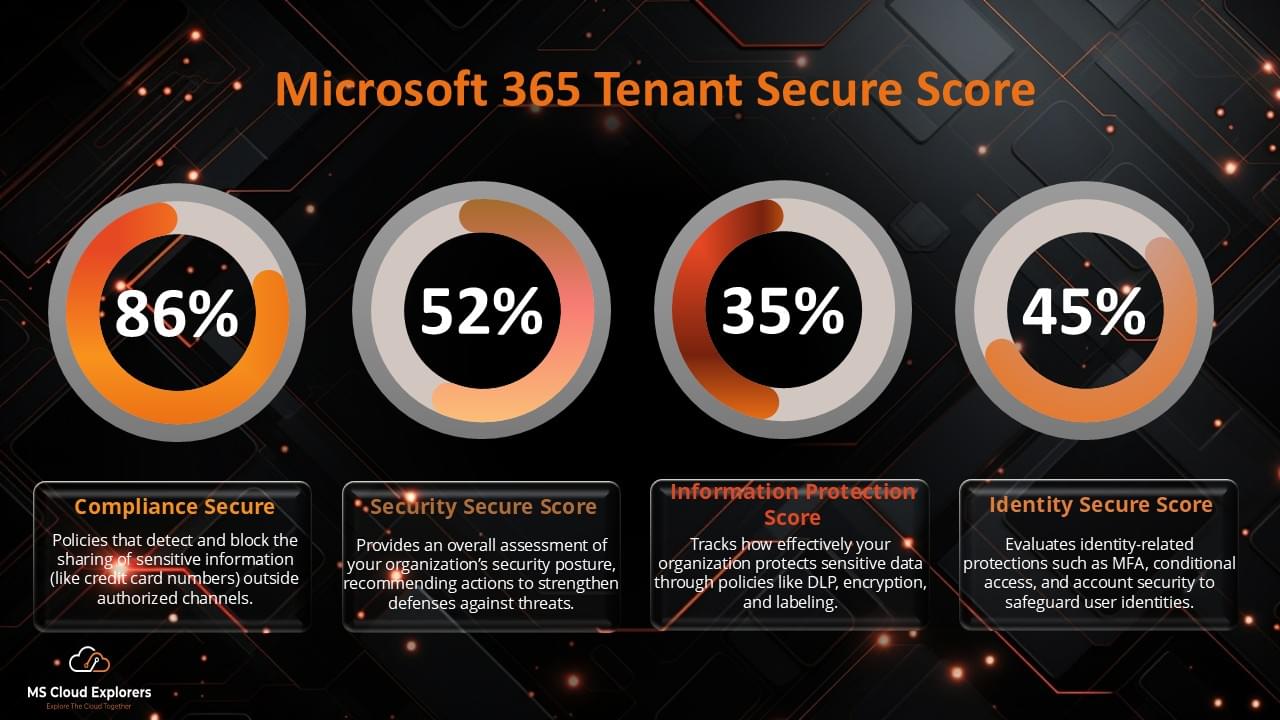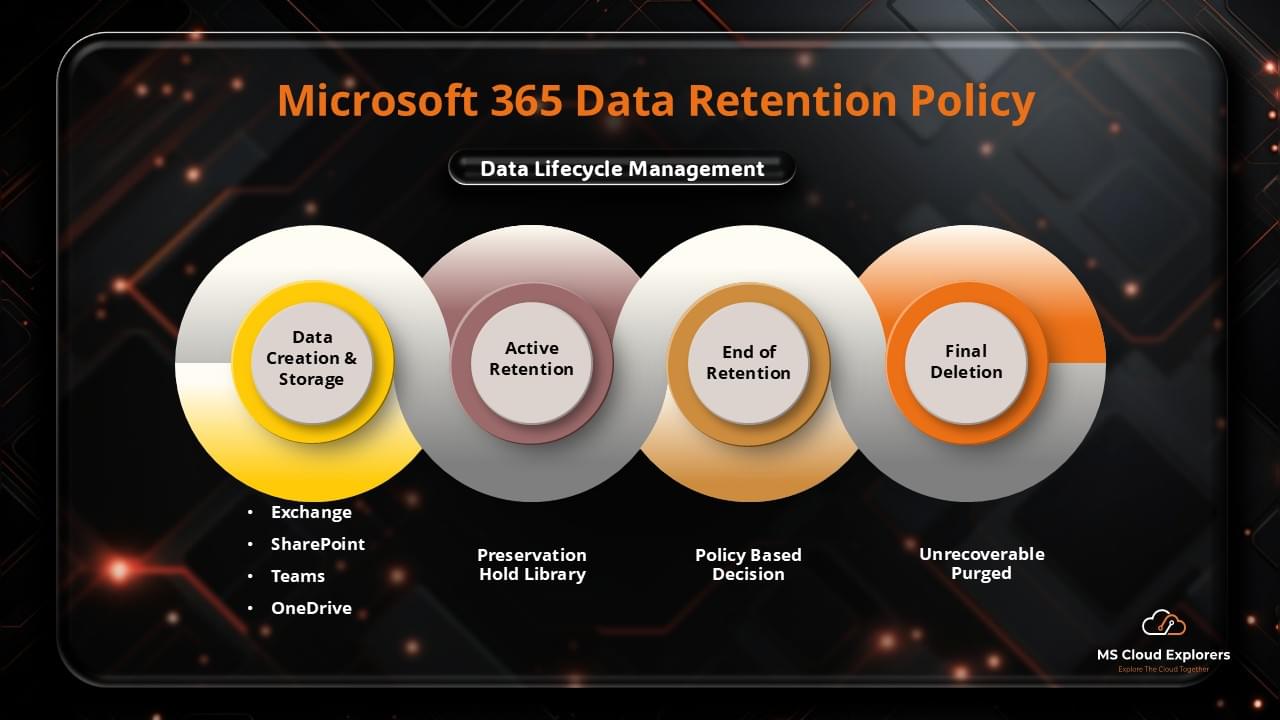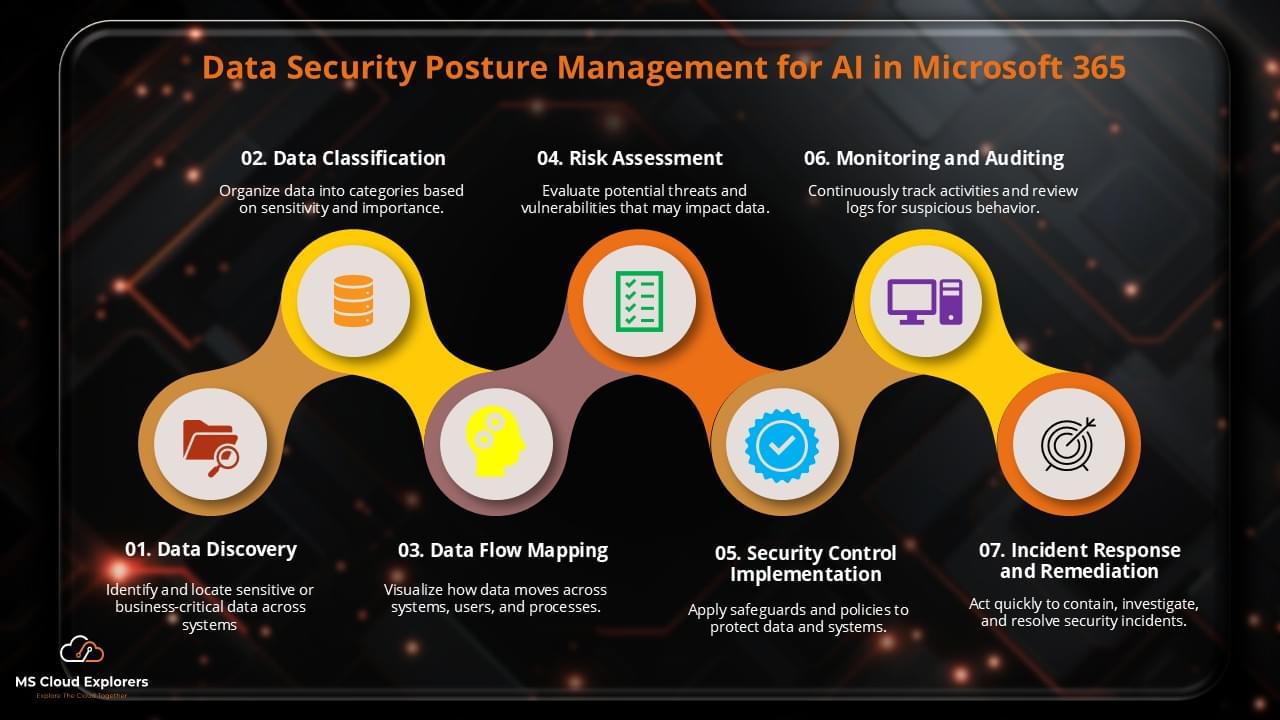
As artificial intelligence (AI) becomes an integral part of modern business environments, organizations are increasingly relying on AI-driven solutions to streamline operations, enhance productivity, and improve decision-making. However, as AI tools and models are deployed in platforms like Microsoft 365, organizations must ensure that they are protecting their sensitive data and adhering to privacy regulations. Data Security Posture Management (DSPM) is useful in this situation. DSPM for AI in Microsoft 365 is essential for managing data security, ensuring compliance, and mitigating risks associated with the use of AI.
In this comprehensive guide, we will explore the importance of DSPM for AI in Microsoft 365, how it helps businesses manage data security, and the best practices for integrating DSPM strategies with AI tools.
What is DSPM (Data Security Posture Management)?
Data Security Posture Management (DSPM) refers to the process of managing and improving an organization’s data security posture, especially in cloud environments like Microsoft 365. It involves continuously assessing, monitoring, and improving the security of sensitive data across all cloud services and platforms, ensuring compliance with regulatory standards, and reducing vulnerabilities.
With AI integrated into Microsoft 365 applications, the need for DSPM becomes more critical. AI tools process vast amounts of data and often require secure handling of sensitive information, making it necessary to enforce robust data protection policies.
Key Features of DSPM
- Continuous Monitoring: DSPM tools provide real-time monitoring of data flows, identifying potential security gaps and unauthorized access attempts.
- Automated Compliance: DSPM solutions can help organizations maintain compliance with regulations such as GDPR, CCPA, and HIPAA, automating the process of policy enforcement.
- Data Classification and Segmentation: Classifying and segmenting data based on sensitivity and compliance requirements ensures that sensitive information is always appropriately protected.
- Risk Assessment and Management: DSPM tools offer risk assessment features to evaluate the potential risks associated with AI-driven data processes and workflows.
The Role of AI in Microsoft 365 and the Importance of DSPM
As AI continues to be integrated into Microsoft 365, from automating tasks in Microsoft Teams to using machine learning in Outlook and SharePoint, the need for strong data protection becomes even more essential. AI in Microsoft 365 can handle vast amounts of data and provide insights that improve decision-making and workflow automation. However, this also means that businesses must be vigilant about how AI accesses, processes, and shares data, especially sensitive information like employee records, customer data, and proprietary business information.
AI-Driven Tools in Microsoft 365
- Microsoft Teams: AI in Teams is used to provide transcription, sentiment analysis, and meeting summaries, which require handling sensitive communication data.
- Microsoft Word and Excel: AI-powered features like text prediction, data insights, and smart templates are heavily reliant on data access, raising privacy concerns.
- SharePoint and OneDrive: With AI-driven content management and collaboration tools, companies store sensitive files in the cloud that need to be monitored for unauthorized access.
Data Security Risks with AI Integration
- Data Leakage: AI models often require large amounts of data to train, and this data could potentially leak if not properly secured.
- Unauthorized Access: AI systems may inadvertently grant access to sensitive data through vulnerabilities in AI applications or third-party integrations.
- Compliance Issues: With AI processing personal or sensitive information, there is a risk of non-compliance with data protection laws if DSPM is not in place.
How DSPM for AI Enhances Data Security in Microsoft 365
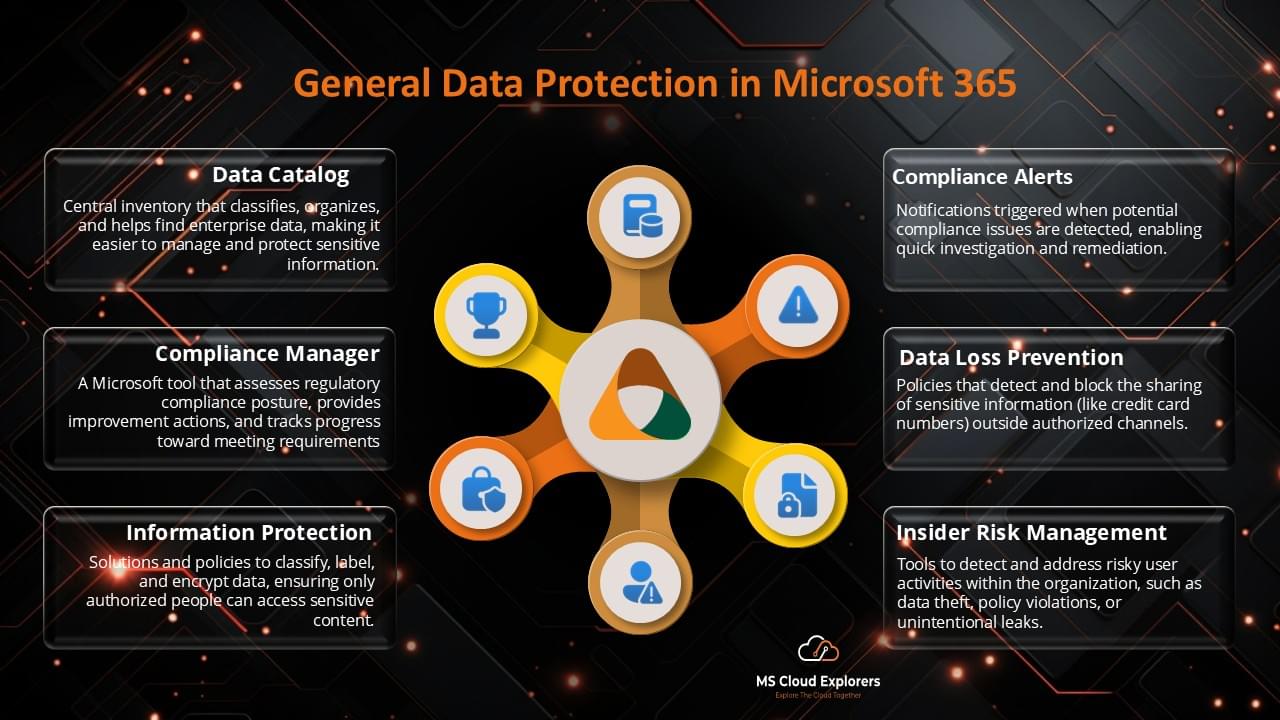
Incorporating DSPM for AI in Microsoft 365 ensures that data is continually protected and that AI models comply with privacy regulations. DSPM tools provide a comprehensive framework to manage the security of AI-driven data processing workflows, allowing businesses to achieve better control over their data security posture.
1. Real-Time Risk Detection and Mitigation
DSPM tools provide continuous monitoring of data usage and AI model activity. This means that any anomalies, such as unusual data access patterns or unauthorized transfers, are detected in real-time. By integrating DSPM with AI, businesses can prevent potential security breaches before they happen.
Benefits:
- Proactive Protection: Detect and mitigate risks before they escalate.
- Automated Alerts: Receive alerts for suspicious activities, such as large data exports or unauthorized access attempts.
2. Data Classification and Compliance Enforcement
By classifying data based on its sensitivity, DSPM tools ensure that AI applications only have access to data they are authorized to process. Additionally, DSPM can automate compliance checks, ensuring that AI operations adhere to data protection regulations.
Benefits:
- Enhanced Data Protection: Ensure that AI models process only the necessary data, limiting exposure to sensitive information.
- Compliance Assurance: Automatically enforce compliance with regulations like GDPR, ensuring that AI models handle data in accordance with legal standards.
3. Granular Access Control for AI Models
With DSPM, businesses can define granular access controls, ensuring that AI models have restricted access to data. For instance, an AI-powered tool may only need access to anonymized or aggregated data rather than individual records. This minimizes the risk of exposing sensitive information.
Benefits:
- Reduced Attack Surface: Limit data access to only what’s needed for the AI models to function.
- Controlled Sharing: Ensure that sensitive data is only shared within approved and secure channels.
4. Automated Data Encryption and Protection
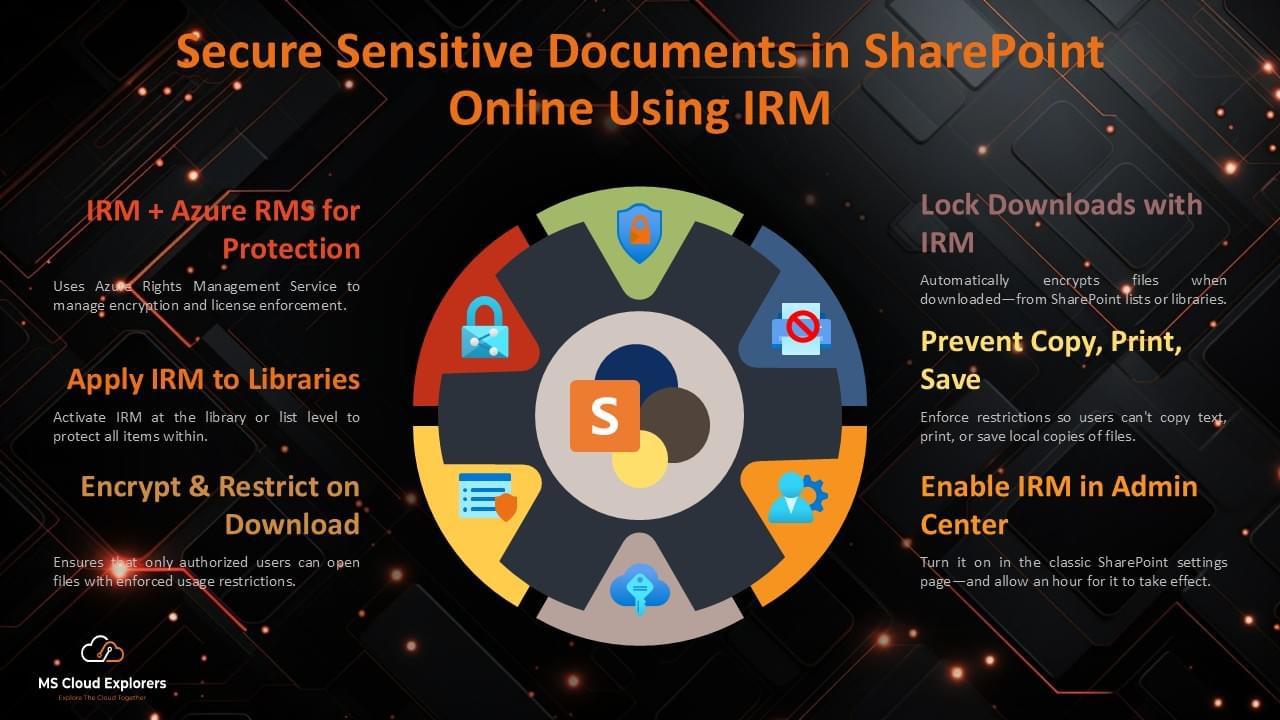
To safeguard data, DSPM tools can enforce encryption policies for both data at rest and data in transit. This is especially important for AI applications that handle vast amounts of sensitive data.
Benefits:
- End-to-End Encryption: Protect data from unauthorized access during transmission and storage.
- Data Integrity: Ensure that data remains intact and unaltered during processing by AI tools.
Step-by-Step Guide to Implementing DSPM for AI in Microsoft 365
1. Verify Licensing Requirements: Ensure your organization has the necessary licenses:
- Microsoft 365 E5 or E5 with Compliance licenses.
- Users interacting with Microsoft 365 Copilot must have appropriate Copilot licenses.
2. Assign Necessary Permissions: Assign the following roles to team members responsible for managing DSPM:
- Microsoft Entra ID Compliance Administrator
- Microsoft Entra ID Global Administrator
- Microsoft Purview Compliance Administrator role group
- Microsoft Purview Security Reader role group (view-only access)
For detailed permissions by activity, refer to Microsoft’s documentation. learn.microsoft.com
3. Enable Microsoft Purview Auditing: Ensure that auditing is enabled to monitor interactions with Microsoft 365 Copilot:
- By default, Microsoft Purview auditing is enabled, but it’s advisable to verify this setting.
- Follow Microsoft’s guidelines to turn auditing on or off.
- Navigate to the Microsoft Purview portal or the Microsoft Purview compliance portal to access DSPM for AI features in the Solutions.

4. Onboard Devices to Microsoft Purview: To monitor interactions with third-party generative AI sites:
- Onboard devices to Microsoft Purview to gain visibility into sensitive information shared with these sites.
- Deploy the Microsoft Purview browser extension to users to track site visits to third-party AI platforms.
For detailed step-by-step guide on how to enroll devices in Intune. Onboard Devices
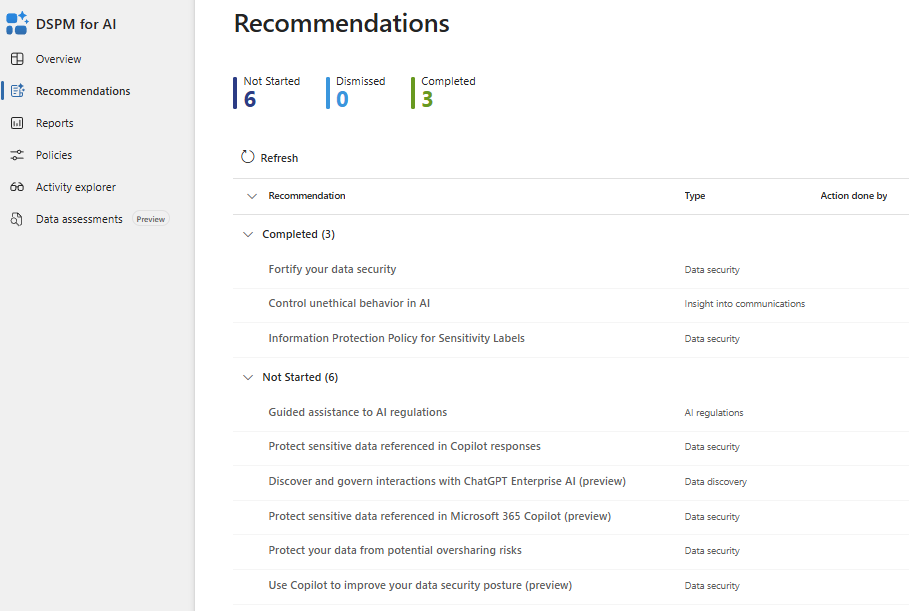
5. Review and Implement Recommendations: In the DSPM for AI interface:
- Review the “Recommendations” section to identify actions relevant to your organization.
- Implement recommended actions, such as running data assessments, creating sensitivity labels, and establishing default policies to detect and protect sensitive data interactions with AI applications.
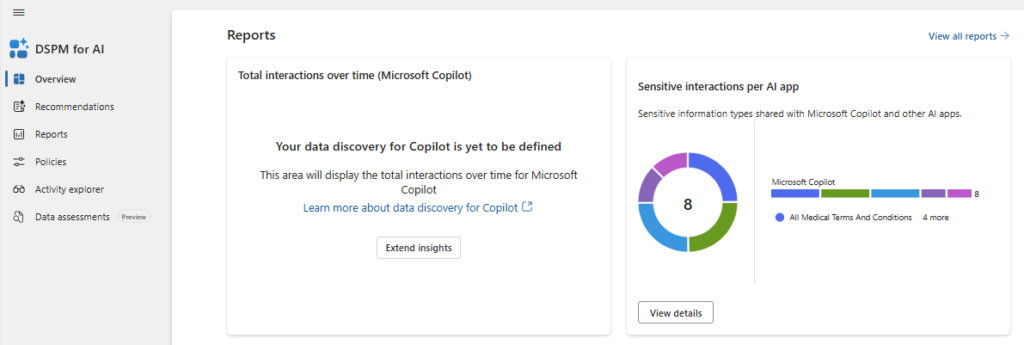
7. Monitor Reports and Policies: Utilize the “Reports” section to:
- View the outcomes of implemented policies.
- Identify specific generative AI applications interacting with your data.
- Use the “Policies” page to monitor the status of default and custom policies.
- Edit policies as necessary to align with your organization’s data protection requirements.
Best Practices for Implementing DSPM for AI in Microsoft 365
1. Adopt a Layered Security Approach
Integrating DSPM with other security tools, such as Microsoft Defender for Identity and Azure Active Directory, provides a multi-layered approach to protecting your data. This ensures that AI models are not only monitored but also safeguarded by advanced threat detection systems.
2. Conduct Regular Security Audits
Regularly audit your Microsoft 365 environment to ensure that AI applications are compliant with data protection regulations and security policies. Use DSPM tools to generate reports on data usage, access control, and security gaps.
3. Educate and Train Employees
Ensure that your employees are aware of the potential risks involved with AI integration. Provide training on how AI tools interact with sensitive data and emphasize the importance of maintaining strong security practices.
4. Integrate AI-Specific Security Policies
Create specific security policies for AI tools and workflows within your Microsoft 365 environment. Ensure that these policies define data access, encryption, and usage based on the sensitivity of the information being processed.
Conclusion
Implementing DSPM for AI in Microsoft 365 is essential for protecting sensitive data while taking advantage of the power of AI. With the right strategies in place, businesses can monitor data usage, ensure compliance with regulations, and mitigate risks associated with AI-powered applications. By integrating Data Security Posture Management, organizations can confidently deploy AI in their Microsoft 365 environment while safeguarding their data and ensuring the security of their entire organization.\
FAQs
- What is DSPM for AI in Microsoft 365?
DSPM for AI in Microsoft 365 refers to the process of managing and improving the security posture of AI-driven data operations, ensuring compliance and protecting sensitive information. - How does DSPM enhance data security for AI models?
DSPM helps by providing real-time monitoring, enforcing encryption, classifying data, and implementing granular access controls for AI tools in Microsoft 365. - Why is compliance important for AI in Microsoft 365?
Compliance ensures that AI models process data in accordance with privacy regulations like GDPR, minimizing the risk of legal violations and fines. - How can I integrate DSPM with my existing Microsoft 365 tools?
DSPM can be integrated with Microsoft tools like Azure Active Directory, Microsoft Defender for Identity, and Microsoft Defender for Office 365 for enhanced data security. - What are the benefits of using DSPM for AI?
The benefits include improved data protection, compliance with regulations, real-time risk detection, and a proactive approach to safeguarding sensitive information.
Explore More from MS Cloud Explorers
- Microsoft Zero Trust Assessment: A Step-by-Step Guide for IT Admins
- Microsoft 365 Security Audit: Complete Step-by-Step Assessment Guide
- Why Microsoft 365 Security Assessment Is Essential for SMBs
- Microsoft 365 Data Protection: The Ultimate Guide to Secure Your Cloud Data
- Microsoft Insider Risk Management: A Complete Guide to Prevent Insider Threats
Enjoyed the article?
We’d love to hear your thoughts—share your comments below!
For more insights, guides, and updates from the Microsoft ecosystem, be sure to subscribe to our newsletter and follow us on LinkedIn. Stay connected and never miss out on the latest tips and news!