

In the modern digital landscape, security is no longer optional—it is foundational. Microsoft’s Zero Trust framework provides a robust, identity-driven approach to protect organizations against sophisticated cyber threats. Zero Trust operates on the principle “never trust, always verify”, ensuring that every access request is authenticated, authorized, and continuously validated before granting access.
With recent advancements, Microsoft has introduced an AI pillar to enhance Zero Trust implementations, bringing proactive threat detection, intelligent automation, and risk-based adaptive policies to the forefront of enterprise security strategies.
The Core Principles of Microsoft Zero Trust Workshop
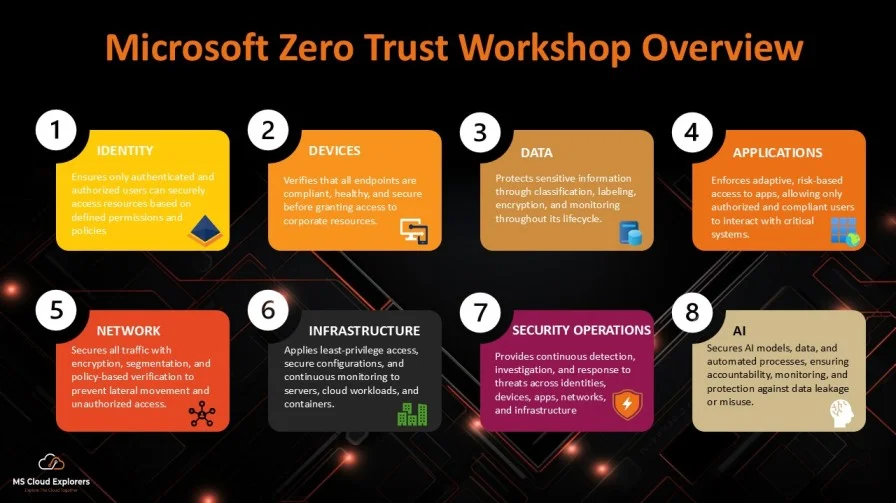
The Zero Trust Workshop is built around eight key pillars, each addressing a critical security domain. Implementing these pillars ensures holistic protection across the enterprise.
1. Identity
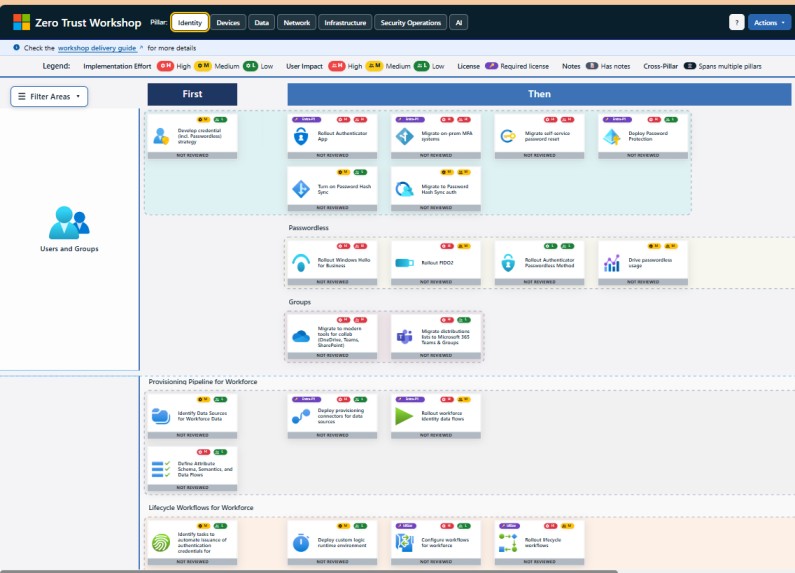
Identity is the foundation of Zero Trust. Every user, service, or system requesting access must be authenticated, authorized, and continuously verified. This includes passwordless authentication, Multi-Factor Authentication (MFA), and risk-based conditional access. Identity governance ensures that only the right people and systems can access resources and that privileges are aligned with current roles and responsibilities.
Who needs to check it:
- Identity & Access Management (IAM) teams
- IT Security administrators
- HR and compliance teams (for role changes)
Why it’s important:
The most common reason for breaches is compromised credentials. For example, attackers often gain access to internal systems using stolen passwords. Zero Trust ensures that even if credentials are compromised, attackers cannot access sensitive systems without passing multiple verification checks. Continuous monitoring can detect suspicious login behavior, like access attempts from unusual locations or devices.
2. Devices
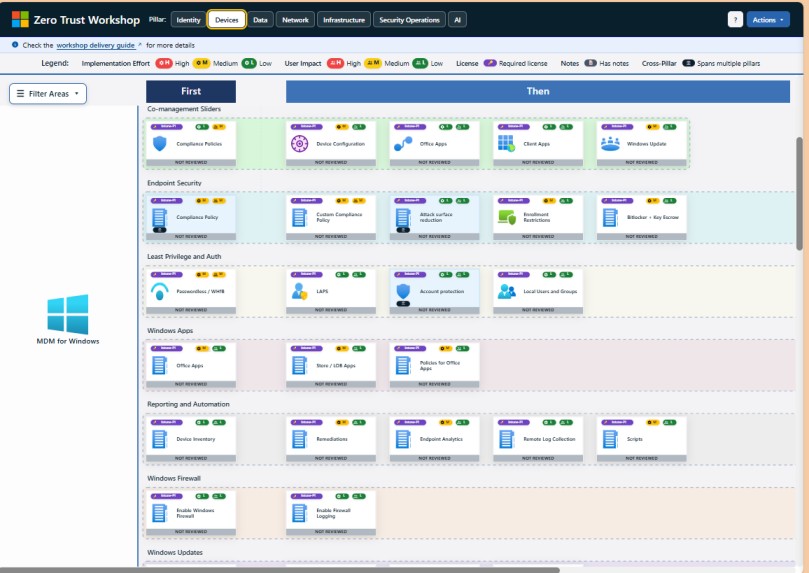
This pillar ensures that every endpoint accessing corporate resources is healthy, compliant, and managed. Devices include laptops, desktops, mobile phones, servers, IoT devices, and virtual machines. Security policies verify device posture, patch status, encryption, and antivirus protection before granting access.
Who needs to check it:
- Endpoint security teams
- IT support and device management (MDM) teams
- Security operations
Why it’s important:
Unmanaged or compromised devices can bypass traditional security and become attack vectors. For example, an unpatched laptop infected with malware could spread ransomware across the network. Zero Trust ensures that only secure and compliant devices can access sensitive applications and data.
3. Data
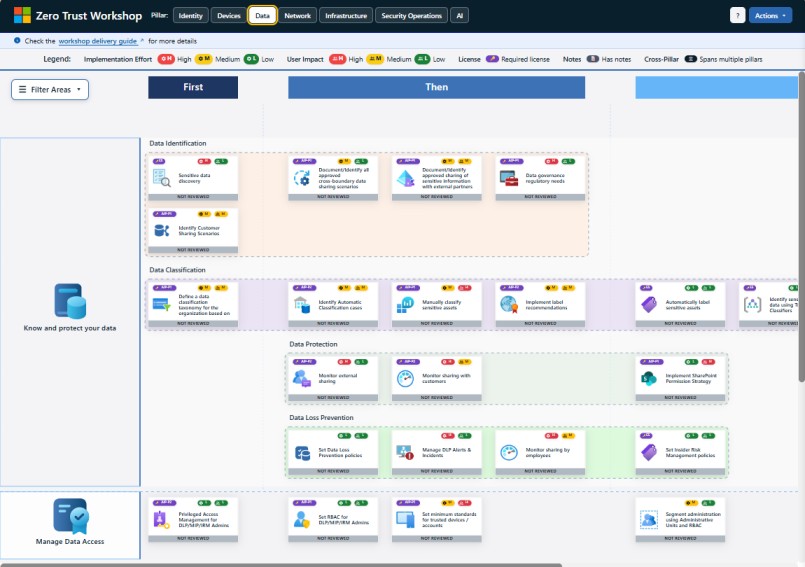
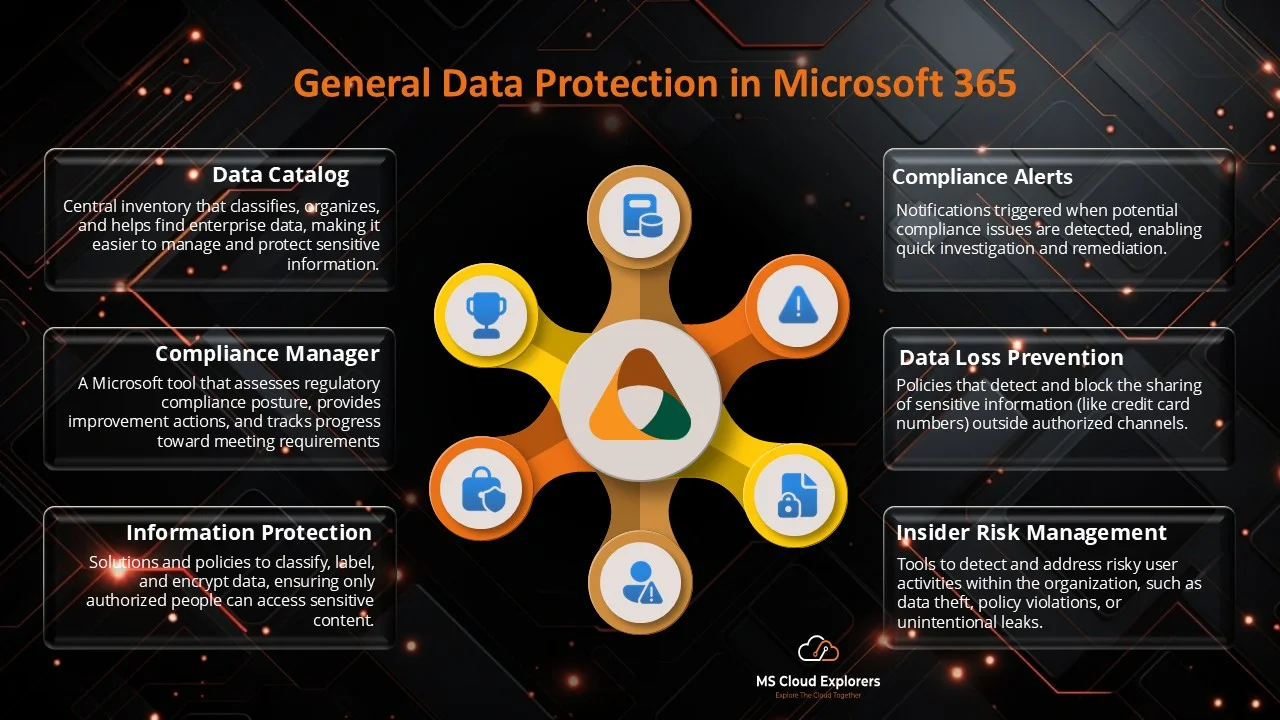
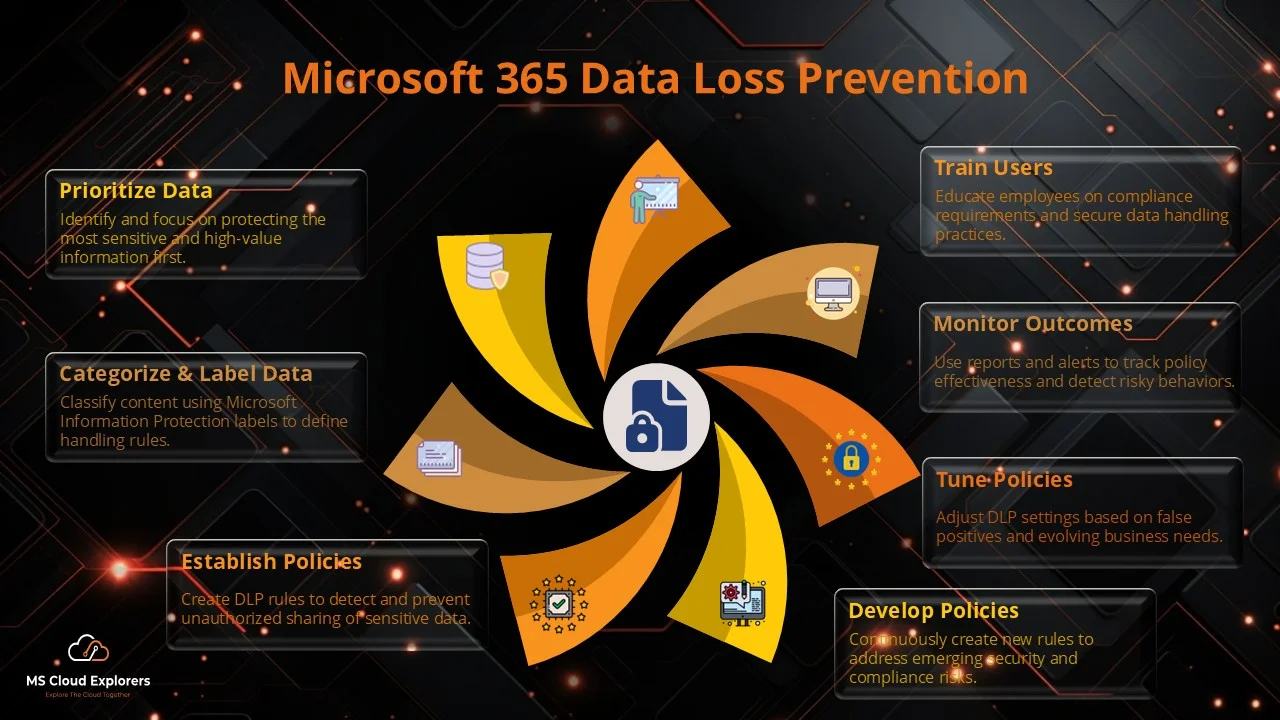
The Data pillar protects sensitive information throughout its lifecycle — from creation to storage, sharing, and deletion. This includes classification, labeling, encryption, and monitoring data usage across all environments, whether on-premises or in the cloud.
Who needs to check it:
- Data governance and protection teams
- Compliance officers
- Application owners and business units
Why it’s important:
Data breaches are costly and can lead to legal penalties. For instance, an unencrypted cloud storage bucket could leak customer financial information. Zero Trust ensures that data access is granted based on sensitivity, user role, device compliance, and context, preventing unauthorized use or exfiltration.
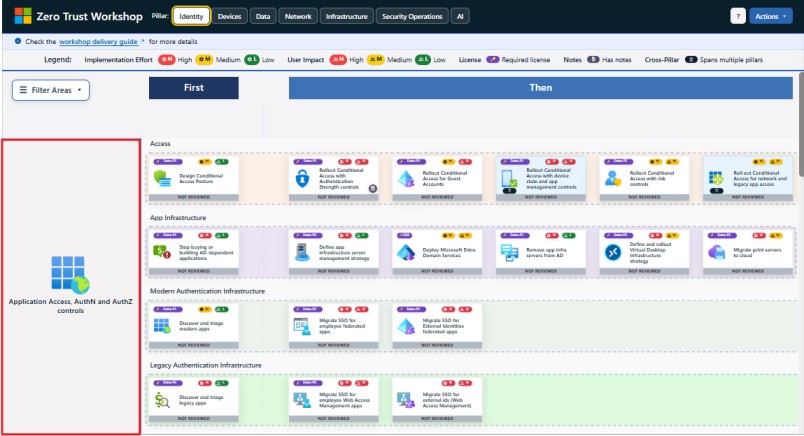
4. Applications – Adaptive, Conditional Access
Applications enforce context-aware, risk-based access, integrated with identity and device compliance policies.
Who needs to check it:
- Application owners
- IT security teams
- Identity administrators
Why it’s important:
Compromised applications can provide attackers a gateway into sensitive resources. Zero Trust ensures access is continuously validated and restricted to authorized users.
5. Network
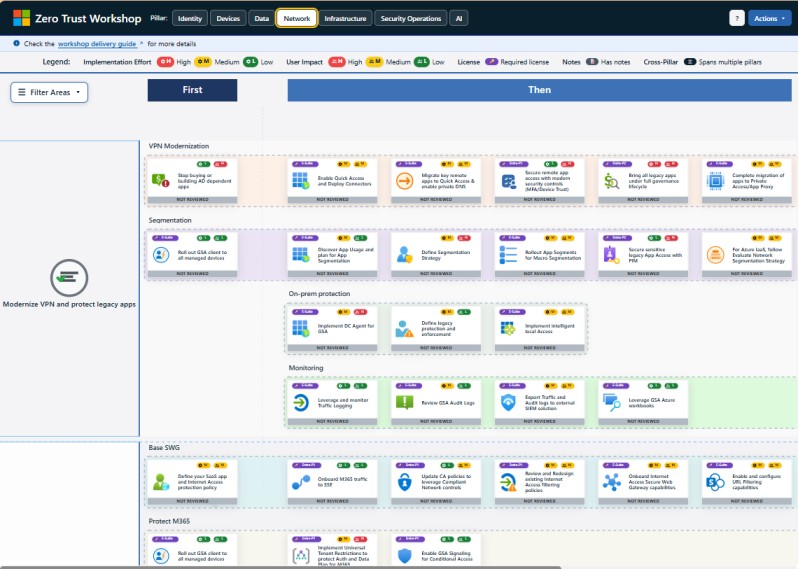
This pillar ensures that all network traffic is verified, encrypted, and segmented. Zero Trust eliminates implicit trust in the network, requiring authentication and authorization for every connection, whether internal or external.
Who needs to check it:
- Network security teams
- Cloud architects
- Security operations teams
Why it’s important:
Attackers often move laterally across networks once they compromise one system. For example, malware in one department could spread to financial systems. Zero Trust ensures microsegmentation, secure connections, and monitoring of network flows, reducing the risk of lateral movement and insider threats.
6. Infrastructure
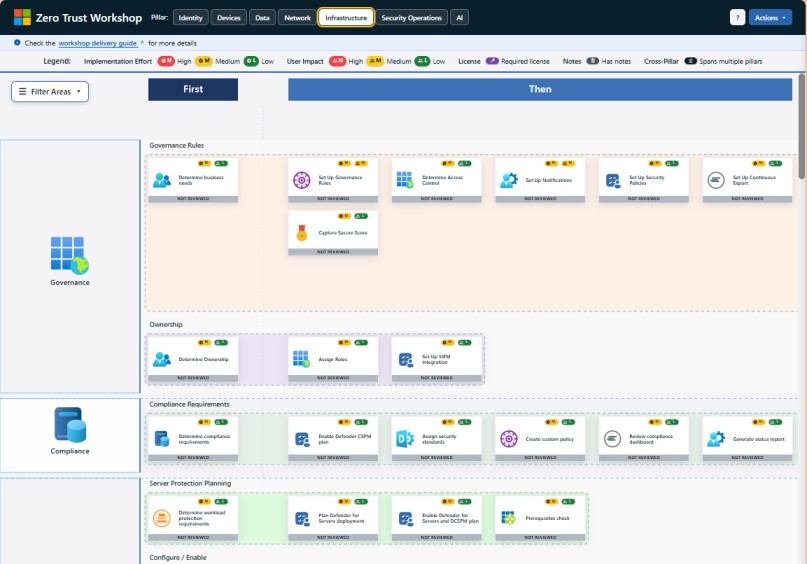
This pillar covers servers, cloud platforms, containers, and other infrastructure that runs applications and services. Zero Trust enforces least privilege access, continuous monitoring, and secure configurations for infrastructure workloads.
Who needs to check it:
- Cloud and platform engineering teams
- DevOps and site reliability engineers
- Security architects
Why it’s important:
Infrastructure is a high-value target for attackers. For example, an exposed cloud database without proper access controls can leak sensitive information. Zero Trust ensures that every workload is verified, configured securely, and continuously monitored, minimizing the risk of misconfigurations and unauthorized access.
7. Security Operations
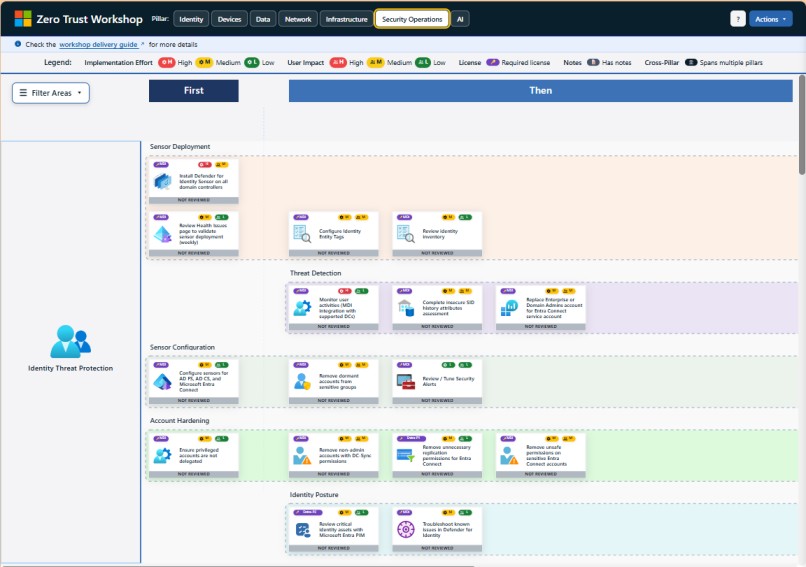
Security Operations (SecOps) ensures continuous detection, investigation, and response to threats across all pillars. This includes collecting telemetry from identities, devices, apps, data, networks, and infrastructure, and using advanced analytics to detect anomalies.
Who needs to check it:
- Security Operations Center (SOC) teams
- Incident response teams
- Threat hunters and analysts
Why it’s important:
No system is completely secure, so rapid detection and response are critical. For instance, if a malicious insider attempts to exfiltrate data, SecOps teams can identify the unusual behavior and stop it in real time. Zero Trust ensures automation, visibility, and intelligence-driven response, reducing dwell time and impact.
8. AI
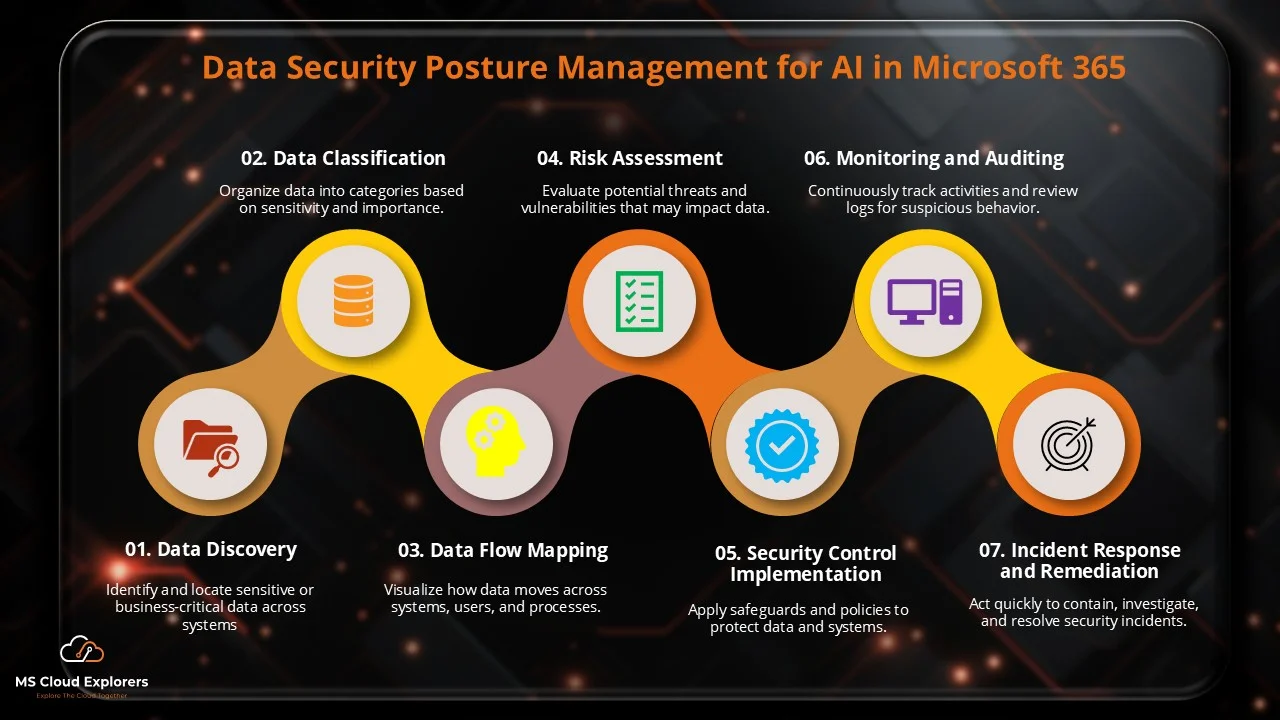
This pillar ensures the secure adoption, deployment, and governance of AI technologies across the enterprise. It protects AI models, algorithms, and the data used for training and inference while enforcing secure decision processes and accountability in automated workflows. AI governance also includes lifecycle management, policy enforcement, and monitoring AI for anomalous or risky behavior.
Who needs to check it:
- AI/ML platform teams
- Security architects
- Compliance and governance teams
Why it’s important:
AI introduces new risks beyond traditional IT:
- Data leakage through models: Sensitive training data may be exposed through outputs. Example: A customer service AI model accidentally revealing client financial data.
- Model poisoning: Attackers tamper with training data to manipulate AI decisions. Example: A fraud detection AI failing to identify fraudulent transactions.
- Unauthorized automation: AI bots may execute tasks automatically, amplifying potential damage if misused. Example: A misconfigured AI bot deleting critical files.
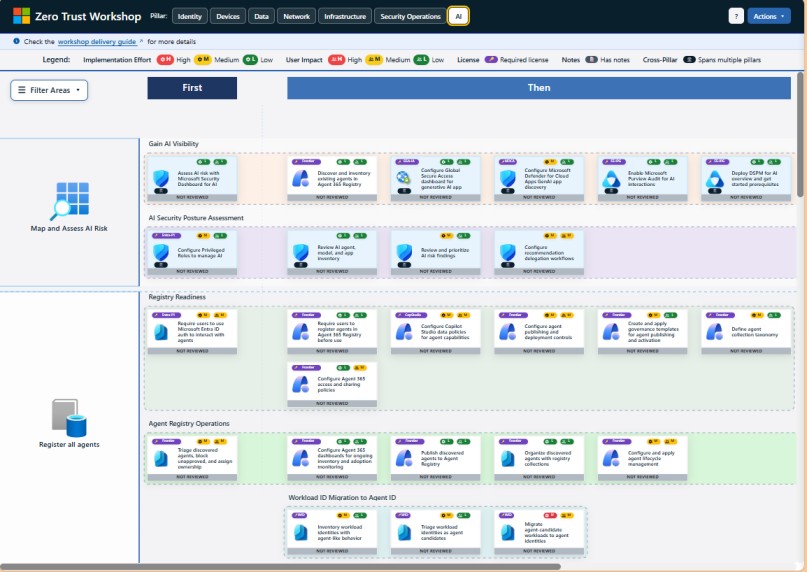
Zero Trust governance ensures that AI workloads are continuously monitored, access-controlled, and auditable, keeping AI secure and compliant while supporting innovation. Understand each Pillar in details with the Implementation steps, you can check the Microsoft Official Documentation.
If you want to Perform Zero Trust Assessment on your Microsoft 365 environment to check the current Security posture, please check out our Microsoft Zero Trust Assessment blog.
Implementing Zero Trust: Step-by-Step Workshop Approach
Microsoft provides a structured Zero Trust Workshop, combining strategy, assessment, and implementation phases. The workshop focuses on understanding organizational security posture and mapping it to Zero Trust controls.
Phase 1: Assessment
- Discovery and Inventory: Catalog users, devices, apps, and data.
- Risk Analysis: Identify high-risk accounts, vulnerable endpoints, and sensitive data.
- Policy Gap Analysis: Evaluate existing security policies against Zero Trust principles.
Phase 2: Planning
- Define Zero Trust architecture goals based on risk assessment.
- Prioritize high-impact areas for initial implementation.
- Integrate AI-powered threat detection into workflows.
Phase 3: Implementation
- Deploy conditional access policies to enforce identity verification.
- Configure device compliance rules for all endpoints.
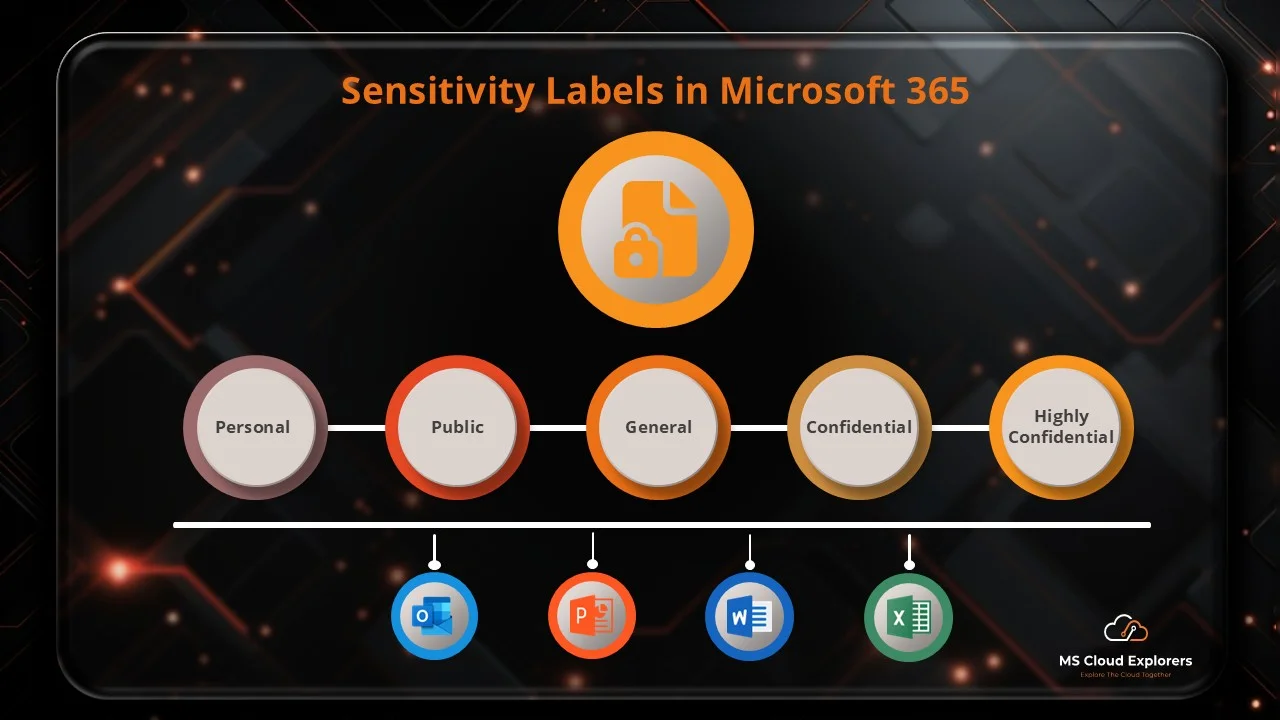
- Apply data classification labels and encryption protocols.
- Integrate AI dashboards for real-time monitoring and automated incident response.
Phase 4: Continuous Improvement
- Monitor security metrics through Microsoft Sentinel and Azure AD reporting.
- Adjust policies based on AI-generated insights.
- Conduct periodic audits to ensure compliance with Zero Trust objectives.
AI Integration in Microsoft Zero Trust Workshop
The AI pillar enhances every stage of Zero Trust deployment:
- Behavioral Analytics: Detect anomalous login attempts and unusual access patterns.
- Automated Remediation: AI can quarantine risky devices or lock suspicious accounts automatically.
- Threat Prediction: Using historical data, AI forecasts potential attack vectors and recommends preventive actions.
- Adaptive Policies: AI dynamically adjusts access controls based on real-time risk scores.
Benefits of Zero Trust with AI
- Enhanced Security Posture: Continuous validation of users, devices, and apps reduces attack surfaces.
- Reduced Risk of Data Breaches: Real-time threat intelligence prevents lateral movement within networks.
- Operational Efficiency: AI automates threat detection, reducing manual intervention and response time.
- Regulatory Compliance: Integrated data protection ensures alignment with HIPAA, GDPR, and other compliance frameworks.
- Scalability and Flexibility: Zero Trust architecture adapts to hybrid and cloud environments seamlessly.
Key Microsoft Tools for Zero Trust Implementation
- Microsoft Entra ID (Azure AD) – Identity and access management.
- Microsoft Intune – Endpoint management and device compliance.
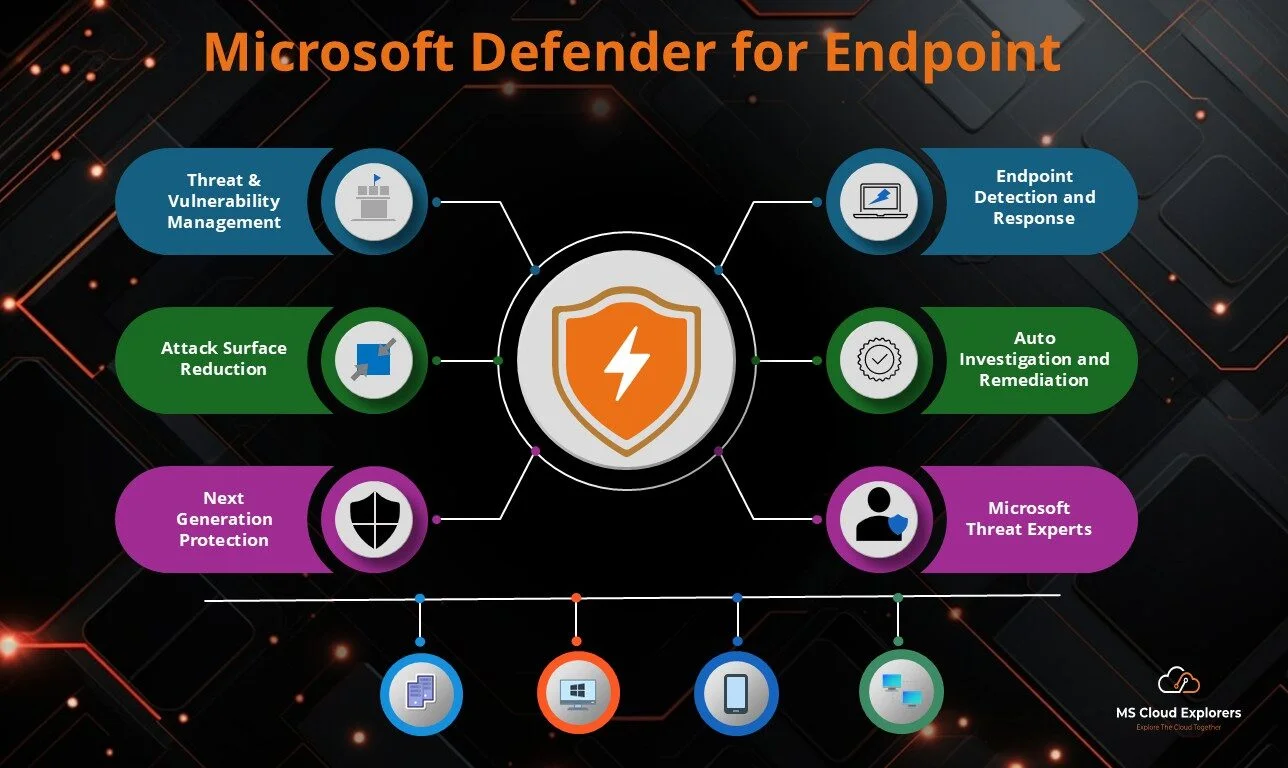
- Microsoft Defender for Endpoint – Threat detection and response.
- Microsoft Information Protection (MIP) – Data classification and encryption.
- Microsoft Sentinel – Cloud-native SIEM for monitoring and alerts.
- AI Security Analytics – Predictive insights and automated remediation.
Best Practices for a Successful Zero Trust Strategy
- Begin with identity and access governance, then extend to devices, apps, and data.
- Apply least privilege principles for all users and services.
- Continuously monitor and iterate policies using AI-driven insights.
- Conduct periodic workshops to reassess and strengthen security posture.
- Ensure integration across cloud and on-premises environments to avoid blind spots.
Conclusion
The Zero Trust Workshop enables organizations to proactively secure digital assets using identity verification, device compliance, data protection, and AI-driven monitoring. With structured assessment, implementation, and continuous improvement, enterprises can achieve a resilient and compliant security posture.
Related Links
You may also find these guides helpful:
- Microsoft Zero Trust Assessment Tool: Complete Step-by-Step Guide for IT Admins
- Investigate and Recover Microsoft 365 Compromised user account with few clicks
- Microsoft 365 Security Audit Guide with Complete information
- Understand the Microsoft Entra ID and Create the best practices Conditional Access Policies
Enjoyed the article?
We’d love to hear your thoughts—share your comments below!
For more insights, guides, and updates from the Microsoft ecosystem, be sure to subscribe to our newsletter and follow us on LinkedIn. Stay connected and never miss out on the latest tips and news!


1 comment on “Microsoft Zero Trust Workshop: Complete Security Framework Explained (2026)”